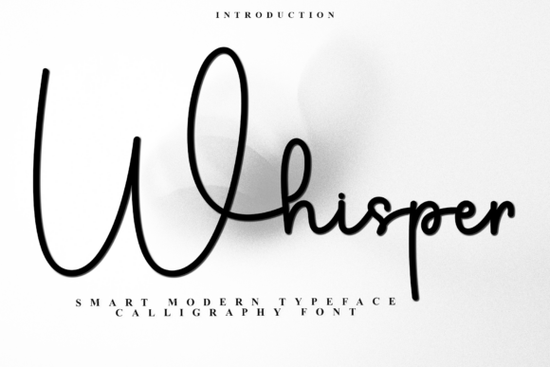
If you design holiday cards, seasonal printables, or craft mockups for small businesses, you know that typography can instantly shift the mood from ordinary to magical. Whisper Font is a festive script with decorative swashes and a whimsical, old-fashioned charm that feels right at home on gift tags, winter greeting cards, and anything that needs a touch of holiday nostalgia. With its PUA-encoded glyphs, you can tap into a wide range of alternate characters and ligatures even if you work in basic design software.
What makes Whisper Font a good fit for holiday projects?
This typeface leans into the holiday spirit without feeling childish. The letters curl and twirl with connected strokes that resemble hand‑lettered calligraphy. Tiny decorative details like extended end swashes and softly curved serifs add a sense of celebration. Because it sits squarely in the script fonts category, Whisper uses flowing, linked letterforms that give your words a handcrafted, personal feel. That warmth works well on gift tags, advent calendars, winter wedding invitations, and even hot chocolate bar menus. The slightly nostalgic vibe also pairs nicely with vintage‑inspired holiday graphics or kraft paper textures.
Is Whisper Font easy to use with a Cricut or Silhouette?
Yes, and the PUA encoding makes it straightforward. Many decorative fonts hide their pretty alternates behind paywalled design programs, but Whisper keeps everything accessible through the standard Private Use Area. That means you can pull up swashes, ligatures, and alternative letterforms directly from your computer’s Font Book (Mac) or Character Map (Windows), then paste them into Cricut Design Space or Silhouette Studio.
Accessing alternate glyphs quickly
- Install the OTF file on your computer.
- Open Font Book (Mac) or Character Map (Windows) and locate Whisper Font.
- Browse the full character set to find swashes, ligatures, and stylized alternates.
- Copy the glyph you want and paste it into your cutting software to weld or cut as usual.
Because the alternates live in a standardized PUA range, you don’t need special add‑ons, and you’ll get consistent results across different devices.
Where can you use Whisper Font?
The font shines on all the projects you’d expect during the holiday season, but it’s flexible enough for year‑round cheerful messages. Here are a few places it fits naturally:
- Greeting cards (Christmas, Hanukkah, New Year’s, winter birthdays)
- Personalized gift tags and favor boxes
- Scrapbook titles and journaling cards
- Sublimation prints for mugs, pillows, and t‑shirts
- Holiday party menus or table number designs
- Digital mockups for print‑on‑demand holiday product lines
- Snowy social media graphics and promotional banners
If you are designing for a baking‑themed holiday party, a font like Holiday Cookies offers a sugary, icing‑like texture that pairs beautifully if you want two different styles in one project.
Can you use Whisper Font for commercial work?
Creative Fabrica fonts typically include a standard commercial license that allows you to sell physical products like T‑shirts, mugs, and cards without additional fees. This covers most small business and print‑on‑demand needs. Always review the specific license terms on the product page to make sure it covers your intended use, but in the majority of cases, crafters and designers can confidently use Whisper for customer orders, craft fair goods, and online shop products.
What fonts pair well with Whisper?
A clean sans‑serif like Montserrat or Open Sans is a safe, reliable companion for body text and balance. If you enjoy the playful bounce of Whisper, you might also like the brushy energy of Stark Brush for bold headlines. For a softer, romantic look on wedding‑related holiday cards, Wedding Signature adds a touch of elegance. And if you need a casual, everyday script for non‑holiday work, you can reach for Hello Sunshine, which brings a sunny, handwritten vibe. For crafty projects that already use a stitched theme, Stitches Font mimics threadwork and makes a charming companion on fabric‑inspired designs.
How do you get the most out of Whisper’s alternates and ligatures?
The font includes plenty of hidden extras that can make your typography look custom‑designed. Double‑letter ligatures (like “ll” or “mm”) smooth out repetitive strokes, while swash alternates at the beginning or end of a word add flourish. Here are a few tips:
- In Adobe Illustrator or Affinity Designer, open the Glyphs panel to see all alternate characters at a glance.
- In Microsoft Word, use “Insert Symbol” and scroll to the Whisper Font section.
- In Canva, you’ll need to copy glyphs from your computer’s font manager and paste them one by one a bit manual but worth the result.
- Use the OTF file whenever possible, because it automatically triggers ligatures in supported software.
What software and file formats does Whisper Font support?
Whisper Font comes with both OTF and TTF files as standard. The OTF version gives you the full power of OpenType features, so ligatures and alternates work automatically in programs like Adobe Photoshop, Illustrator, InDesign, Affinity Designer, and CorelDRAW. The TTF file offers broader compatibility with older software and basic apps. Both formats work on Windows and Mac. If you use Canva, Silhouette Studio, or Cricut Design Space, you can still access alternates manually with the copy‑paste method described above.
Quick setup checklist before you download
- Check your design software version for OpenType support (recommended for ligatures).
- If you use a cutting machine, make sure you know how to access PUA‑encoded glyphs via Font Book (Mac) or Character Map (Windows).
- Download the OTF file for the best alternate character experience.
- Test the font with a sample phrase like “Merry Christmas” to see how the letters connect and how swashes look.
- If selling printed products, confirm that your Creative Fabrica license covers physical end products (the standard single‑use license usually does).
- Browse complementary fonts from Creative Fabrica such as a simple sans‑serif or another script for variety to create cohesive holiday stationery sets.
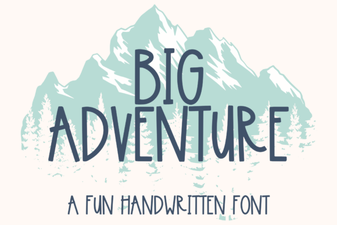 Big Adventure Font: Bold Playful Type for Designs
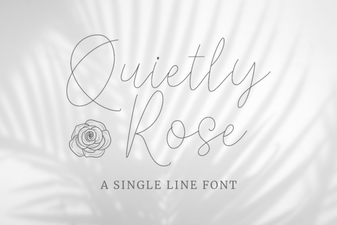 Quietly Rose Font – Free Feminine Script for Logos & Invites
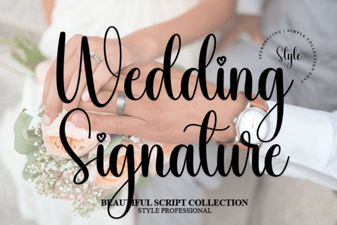 Wedding Signature Fonts for Elegant Invitations and Stationery
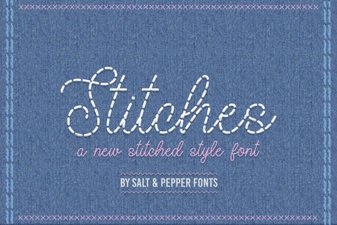 Stitches Font: Craft & Diy Typography Ideas
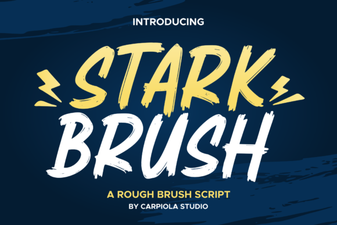 Stark Brush Font: Creative Hand-Lettered Typeface for Design
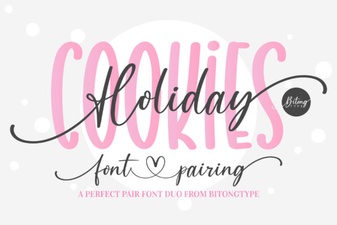 Holiday Cookies Font: Sweet Design Ideas & Usage Tips