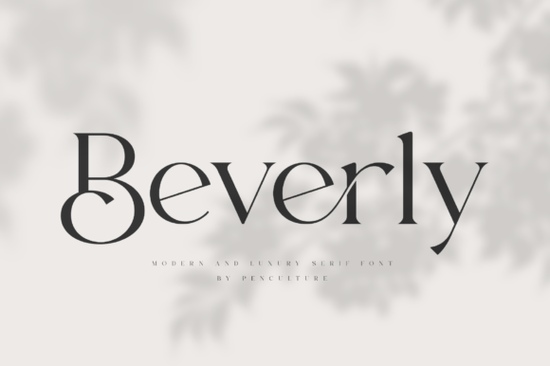
Beverly Font is a modern luxury serif typeface that blends classic elegance with clean, contemporary shapes. Its refined letterforms and generous set of stylistic alternates make it a practical choice for designers, crafters, and small business owners who need a polished upscale look without extra fuss.
What makes Beverly Font different from other serif fonts?
Many serif fonts lean too heavily on tradition and can feel stiff. Beverly balances Old Style warmth with a crisp modern silhouette. The letterforms have a natural, slightly organic curve, so text never looks mechanical. The font also comes packed with elegant stylistic alternates and ligatures that let you fine-tune logos, headings, and display text with a few clicks. You can swap a standard lowercase “g” for a more decorative swoosh, or turn a pair of letters into a smooth joined form ideal for creating custom wordmarks.
Because it has this built-in flexibility, this serif typeface works equally well at large poster sizes and smaller editorial text. It keeps an even rhythm and high readability even when reduced, which is rare for many display-oriented luxury fonts.
Who is Beverly Font for?
Beverly fits anyone who wants a graceful, high-end aesthetic without complexity:
- Logo and brand designers can use the alternates to craft one-of-a-kind lockups for beauty, fashion, and lifestyle brands.
- Print-on-demand sellers often need versatile fonts that look premium on mugs, tote bags, and apparel. Beverly’s clean lines stay crisp on fabric prints and heat transfers.
- Wedding stationery designers will find the ligatures particularly helpful for invitation suites, place cards, and elegant signage.
- Magazine and editorial designers can set elegant drop caps and pull quotes that feel both luxurious and fresh.
- Small business owners and crafters can use Beverly for social media graphics, price tags, packaging labels, or even simple printed flyers without needing advanced design software.
Where does Beverly Font work best?
Because of its balanced proportions, the font shines in both display and short text settings:
- Branding and logos – use alternates to create a signature look.
- Posters and flyers – big headings stay elegant and never feel heavy.
- Magazine layouts – pair with a neutral sans-serif for a high-end editorial feel.
- Product packaging – the natural shape adds a handcrafted, boutique quality to candle labels, soap wraps, and gift boxes.
- Social media – short quotes in Beverly stand out in feeds with a sophisticated, non-shouty presence.
How do the stylistic alternates and ligatures work?
Beverly includes OpenType features that many modern design apps support. In programs like Adobe Illustrator, Photoshop, InDesign, or even free tools like Canva (with font uploading), you can turn on Stylistic Sets and Ligatures from the character panel. This lets you swap standard glyphs for swash alternates or connect letters seamlessly. If you’re using the font in a word processor, you may need to check if OpenType features are available often they are in newer versions of Word or Pages.
The alternates are not randomly decorative. They stay true to the font’s elegant skeleton, so you can mix standard and alternate characters without breaking visual cohesion. This gives you control without overwhelming your design with unnecessary flourish.
What file formats and licensing are included?
When you download Beverly Font, you typically receive standard file types that cover both desktop and laptop use. Many Creative Fabrica offerings include OTF and TTF files, which work on Windows and Mac. Depending on the license you choose, you can use Beverly in personal projects, commercial client work, and even print-on-demand items with full peace of mind. Always check the specific license terms before using the font on physical products for resale, but Creative Fabrica’s standard license usually covers many small business needs.
How to pair Beverly Font with other typefaces?
For a balanced design, combine Beverly with clean minimalist fonts that don’t compete. A few pairing ideas:
- Geometric sans-serif – something like Montserrat or Raleway keeps layouts airy and modern.
- Neo-grotesque – a precise sans like Inter or Work Sans lets Beverly’s elegance take center stage.
- Simple script – a subtle handwritten font next to Beverly can work for romantic or artisanal brands, but use sparingly.
Stick to just one or two fonts in a project. Let Beverly carry the main voice, and use the secondary typeface for body text or fine print only.
Quick checklist before you start a project with Beverly Font
- Install the font on all devices you plan to design on, whether desktop or laptop.
- Activate OpenType features in your design app to access alternates and ligatures.
- Test at multiple sizes Beverly looks great at poster scale but check lower-size readability if you plan to use it on business cards or website menus.
- Pair thoughtfully with one simple sans-serif for contrast, and avoid using more than two type families.
- Check the license for commercial projects, especially print-on-demand, to make sure you’re covered.
- Save your work with fonts outlined or embedded if you’re sending files to a printer.
If you enjoy elegant, adaptable typefaces, you’ll find Beverly Font a reliable addition to your toolkit. Its mix of traditional warmth and modern precision helps you create work that feels intentional and quietly luxurious.
Try It Free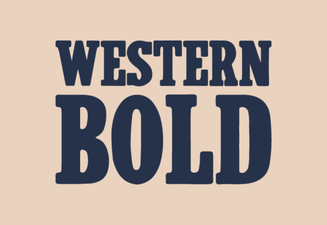 Western Bold Font in Modern Typography Design
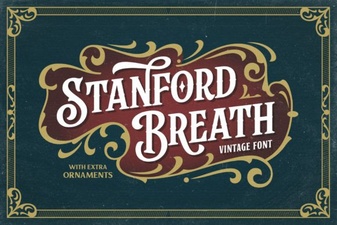 Stanford Breath Font for Expressive Typography Projects
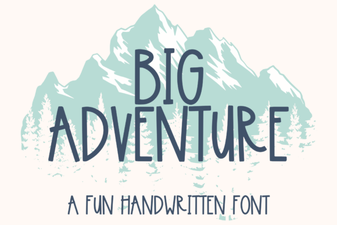 Big Adventure Font: Bold Playful Type for Designs
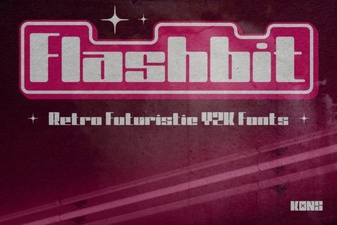 Flashbit Font – Playful Pixel Type for Creative Projects
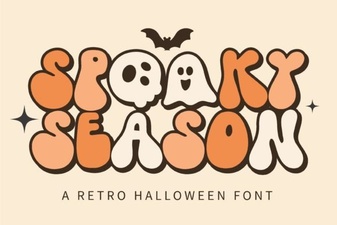 Spooky Season Font: Creative Ideas & Best Typography Picks
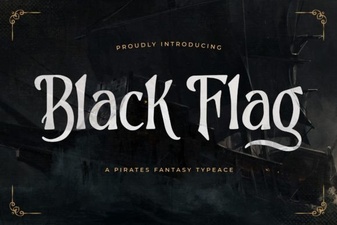 Black Flag Font: Bold Punk Typography for Design Projects