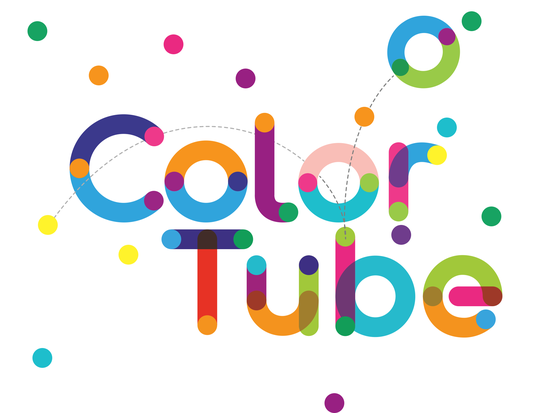
Color Tube Pro Font is a cheerful, hand-drawn style typeface with a built‑in rainbow of colors that feels like a crayon box come to life. Instead of flat black letters, you get letters that already have bright shading and texture inside them perfect for children’s books, classroom decorations, lively t‑shirt graphics, and any project that needs a splash of fun without extra illustration work.
What does Color Tube Pro Font actually look like?
The design is friendly and slightly irregular, like lettering created with thick marker pens or chunky paintbrushes. Each glyph comes in a pre‑colored, multi‑tone style think bold reds, sunny yellows, leafy greens, and sky blues blending inside every stroke. Because the color is baked into the font file as an OpenType‑SVG format, you don’t need to apply gradients or layer separate fills. Just type, and the colorful look appears instantly in supported software.
This makes it a handy choice for designers who want a consistent, playful voice across a set of materials. You can use it for birthday invitations, boy or girl baby shower banners, school event flyers, or even simple logo sketches for a children’s play area. The slightly wobbly baseline and varied letter shapes keep the vibe organic instead of stiff.
Which programs can handle the color version?
The color font technology works well in a few professional design tools. You’ll get the full multi‑color effect in:
- Adobe Photoshop (CC 2018 or newer)
- Adobe Illustrator (CC 2018 or newer)
- Silhouette Studio (Designer Edition and above)
- Inkscape (free vector editor, version 1.0+)
In these applications, you install the OTF or TTF file that contains the color data, and the text appears in full color right away. It saves you time because you don’t need to convert text to shapes and manually color each letter.
However, it’s important to know that the color version will not work in all software. Basic word processors and many entry‑level design apps will only show the font in black, or ignore the color information completely. If you see a plain black preview, check whether your program supports OpenType‑SVG color fonts before assuming the file is broken.
Why won’t it work in Cricut Design Space?
Many crafters ask this because they want to cut colorful letters on vinyl or paper. The short answer: Cricut Design Space does not support OpenType‑SVG color fonts. When you upload the color version to Cricut, it will only display a black silhouette, and you might see missing shapes or errors.
That doesn’t mean the font is useless for cutting machines. You can still use the standard black‑and‑white outline version in Cricut. Simply install the non‑color OTF/TTF file that usually comes in the same download folder, type your text, and then use Cricut’s own color tools or pen‑draw functions to add the hand‑drawn feel. If you need help setting this up, check the Creative Fabrica Ultimate Font Guide for step‑by‑step instructions on color fonts and cutting machines.
How can print‑on‑demand sellers use this font?
For print‑on‑demand (POD) creators designing mockups for Etsy, Redbubble, or Amazon Merch, this font can quickly add a ready‑made cheerful style to product previews. Since the color is inside the type, you only need to place the text on your artwork in Photoshop or Illustrator. It works great for:
- Kids’ birthday shirts and onesies
- Summer camp slogans on tote bags
- Mug designs with teacher appreciation quotes
- Pillow covers for children’s rooms
Just keep in mind that when you go to print, the color will be part of the artwork there’s no need for the customer to have the font installed. Export your design as a high‑resolution PNG or JPG with the text already rasterized. This avoids any font‑embedding issues on the POD platform side.
What kinds of projects benefit most from a font like this?
Because of its art‑supply look, Color Tube Pro Font fits naturally into anything aimed at younger audiences or lighthearted themes. Some popular uses include:
- School materials: classroom labels, bulletin board titles, award certificates.
- Party supplies: invitation cards, cupcake toppers, party favor tags.
- Scrapbooking: page titles and journaling spots that need a hand‑drawn pop of color.
- Social media graphics: eye‑catching quotes or announcements for parenting blogs and toy shops.
Designers who work on children’s book covers also use such fonts for the title treatment, pairing it with a clean serif or sans‑serif for the body text. The contrast between a neat, readable paragraph font and a bold, colorful display face creates a professional but inviting cover.
How can I pair Color Tube Pro Font with other typefaces?
Since the font is already very expressive, it pairs best with simple, neutral companions. Try these combinations:
- With a friendly sans‑serif: Fonts like Open Sans or Montserrat let the colorful display text stand out while keeping longer descriptions easy to read.
- With a rounded serif: A gentle slab serif like Museo adds a storybook feel without competing for attention.
- With a handwriting script: A thin, cursive font beneath the bold color title can create a lovely layered invitation layout.
Avoid pairing it with other heavily decorated fonts two busy styles together can make the design feel messy. Let Color Tube be the star on the page.
Where can I find more bright and fun font styles?
If you enjoy the candy‑colored look of this typeface, you might also like exploring other playful options. Many designers build whole themed collections around craft time, crayons, and back‑to‑school vibes. You can discover bright and fun font styles in the same family or browse similar hand‑drawn color fonts across Creative Fabrica’s library.
When you download Color Tube Pro Font, you’ll usually get both the color OTF/TTF and a black version, which gives you flexibility to work in almost any design tool, even if full color support isn’t there.
Quick checklist before you use Color Tube Pro Font
- Confirm your software handles OpenType‑SVG if you want the pre‑colored effect. Test with a single letter first.
- Download both file versions keep the color file for Photoshop/Silhouette and the standard one for Cricut or Canva.
- For POD designs, work at 300 DPI and rasterize the text before uploading to your shop. Screenshot the font at the intended size to check print clarity.
- Choose a clean pairing font for any body text so your layout stays balanced and legible.
- Experiment with scale. This typeface shines in larger sizes (80 pt and up on a toddler tee, for example) where the color detail really stands out.
Start with a small test project maybe a birthday banner or a classroom sticker sheet to see how the built‑in color saves you time. The result is a hand‑illustrated look without the hand cramps, ready to brighten up your next creative work.
Learn More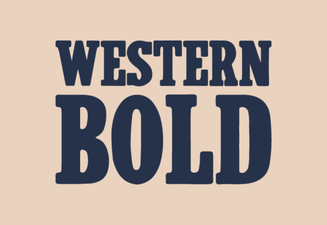 Western Bold Font in Modern Typography Design
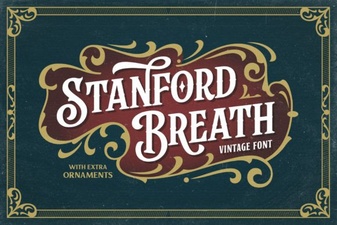 Stanford Breath Font for Expressive Typography Projects
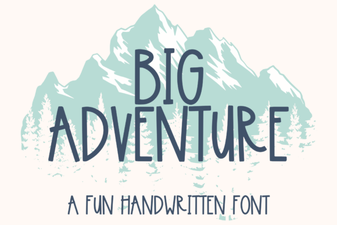 Big Adventure Font: Bold Playful Type for Designs
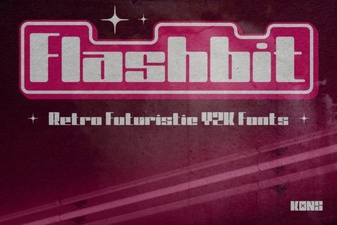 Flashbit Font – Playful Pixel Type for Creative Projects
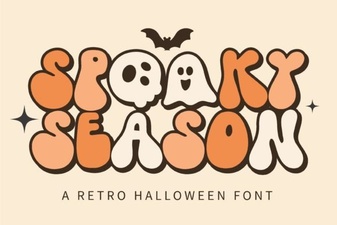 Spooky Season Font: Creative Ideas & Best Typography Picks
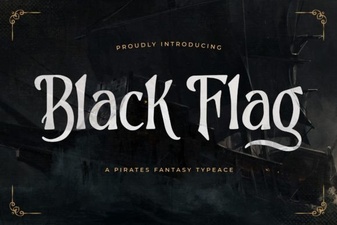 Black Flag Font: Bold Punk Typography for Design Projects