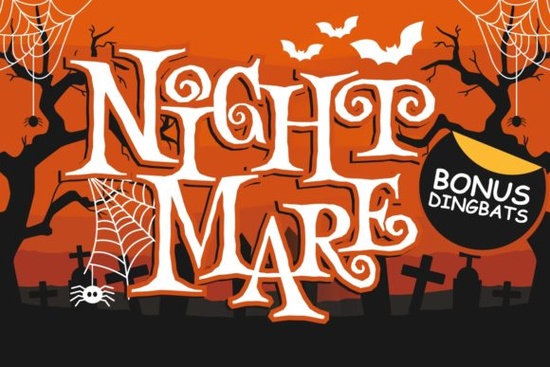
If you create seasonal crafts, Halloween party decorations, or spooky merch, finding a font that feels playful yet a little eerie can be tricky. The Night Mare duo font solves that problem with a display typeface and a matching dingbat set, all wrapped in a fun horror theme that works for both kids’ projects and grown‑up creepy designs.
What exactly is a duo font and why does Night Mare include dingbats?
A duo font gives you two styles in one package – usually a main alphabet and a set of matching icons or doodles. In this horror duo, the display letters are slightly irregular, with spindly shapes and uneven edges that feel hand‑lettered. The dingbat font adds haunted‑house favorites: bats, skulls, spiderwebs, potion bottles, ghostly shadows, and more. That means you can instantly add thematic illustration without hunting for a separate vector pack.
For crafters who use Cricut or Silhouette cutting machines, having both text and shapes in one OTF/TTF file is a real timesaver. You simply type the letter or the dingbat character and cut or print.
Is this font right for print‑on‑demand Halloween products?
Yes – and the duo nature makes it especially useful. You can create shirt designs where the main text uses the display font, then scatter small dingbats around it for a seamless look. Because the glyphs share the same irregular line style, the design feels cohesive without extra work.
POD sellers often worry about font licenses. Creative Fabrica fonts come with a standard single‑user commercial license that covers most print‑on‑demand use, including unlimited sales of physical products. You can use Night Mare on t‑shirts, mugs, tote bags, pillows, and even digital party invitations – all with the same license. Just check that you’re not reselling the font file itself.
What kind of projects benefit most from a playful horror font?
This style sits in a sweet spot between cartoonish and spooky. It’s not as heavy as a grunge horror font, which makes it friendlier for:
- School Halloween parties and classroom door banners
- Boo basket tags and treat bag labels
- Spooky birthday invitations for kids
- Coffee mug designs that say “Witches’ Brew” or “Creep It Real”
- Scrapbook pages for haunted house visits
- YouTube thumbnail text for family‑friendly Halloween content
Because the shapes are slightly whimsical, they work well with bright purples, orange, neon green, and not just black. You can push the font toward a retro 80s horror feel with neon outlines, or keep it soft with pastel‑goth colors.
How does the dingbat set make Halloween designs quicker?
Without dingbats, you’d open a separate vector set, place icons one by one, and adjust sizes and spacing. With Night Mare’s built‑in dingbats, you just type a letter on your keyboard – a might be a bat, b a skull, c a cobweb – and the icon appears in the same line weight as your text. In design software like Canva, Photoshop, or Silhouette Studio, you can quickly build patterns or borders by repeating characters.
For crafters who sublimate tumblers, you can wrap a spine‑chilling phrase around the cup and dot it with small spiders without ever leaving the text tool. This consistent styling keeps the finished piece looking professional with minimal effort.
Which other Creative Fabrica fonts pair well with Night Mare?
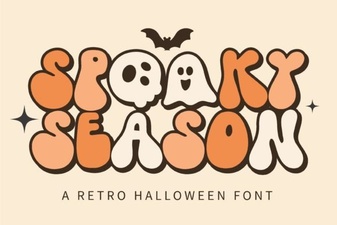
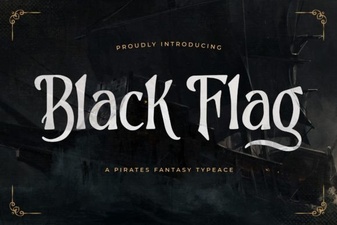
If you’re building a Halloween font collection, a few complementary typefaces can cover different tones. For a cute‑spooky look, the Spooky Season font has rounded, chunky letters that match well with Night Mare’s dingbats on children’s party supplies. When you want something with more grit, Black Flag adds a distressed, grunge texture that works for haunted‑house flyers or metal‑inspired merch.
For a completely different direction, the elegant Monsante script brings a sophisticated, almost mystical feel that pairs beautifully with horror snippets. And if you’re a teacher making spooky spelling worksheets for October, the ABCD Tracing Alphabet bundle gives you clean tracing letters that you can pair with Night Mare’s dingbats for fun educational printables.
Can beginners use a duo font without advanced design skills?
Absolutely. Because the dingbats are part of the same font file, you don’t need to learn layering or external clip art placement. Most free design programs see them as regular characters. Just remember to install both the display and dingbat OTF/TTF files on your computer. Then, in any text box, switch the font to the dingbat version and type to see the icons.
A quick tip: open a character map or a glyphs panel to see all available dingbats at once. In programs like Cricut Design Space, you can copy and paste the icons from the character map if you’re unsure which key produces which symbol.
What should you check before using the font on merchandise?
Always double‑check the license summary included with your download. Creative Fabrica’s standard license covers end products for sale, but if you plan to sell a digital design where buyers can edit the text (like a Canva template), you may need a full POD or extended license. For physical items only, you’re typically covered out of the box.
Also, test a small sample on your chosen material – the thin, spindly letter shapes of the Night Mare design can look delicate on screen but might need slight thickening for vinyl cuts below 1 inch. Most crafters add a tiny offset or weld the letters to a border to ensure clean weeding.
Quick start checklist for your first project:
- Download and install both the display .otf and the dingbat .otf
- Open your design software and type a short phrase in the display font
- On a new layer or text box, switch to the dingbat font, then type letters to discover which icons you like
- Adjust spacing so the dingbats frame the text nicely – try a spider on either side of the word “BOO”
- If cutting, add a small offset line to the letters before sending to your machine
- Use a test cut on scrap material to check weeding and sizing
Once you’re comfortable, mix the display and dingbats across greeting cards, tote bags, and social media posts. The same duo can power a whole lineup of seasonal products while keeping your style consistent.
Download Now Flashbit Font – Playful Pixel Type for Creative Projects
 Spooky Season Font: Creative Ideas & Best Typography Picks
 Black Flag Font: Bold Punk Typography for Design Projects
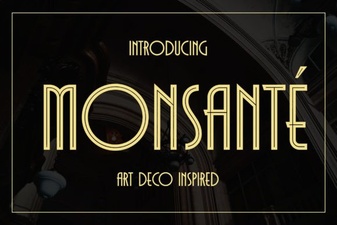 Discover Monsante Font for Elegant Design Projects
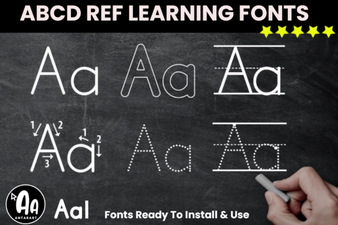 Abcd Tracing Font Bundle for Learning & Crafting
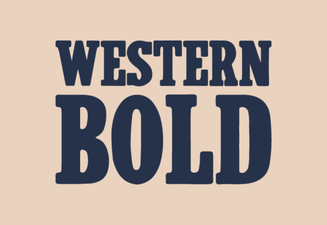 Western Bold Font in Modern Typography Design