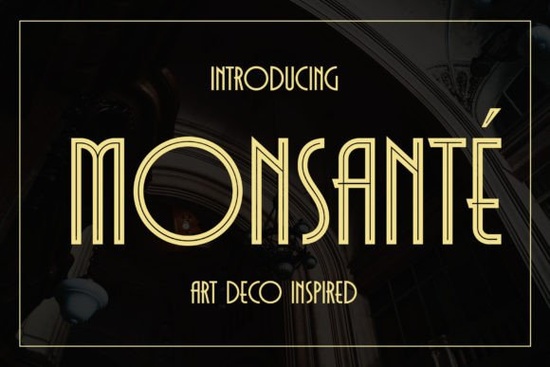
Finding a display font that captures the glamour of the 1920s while staying crisp on a modern screen can be a real search. Monsante is a contemporary Art Deco typeface that leans into that era’s love of geometry, high contrast, and polished luxury. It doesn’t imitate a vintage letterpress block; it gives you clean, vector-ready shapes that feel at home on wedding invitations, film title cards, boutique signage, and even luxury menu design.
What design projects really benefit from Monsante’s geometric elegance?
If your work involves short pieces of high-impact text, this font slots in naturally. It thrives wherever you need a refined voice without paragraphs of body copy. Common uses include:
- Film and awards show titles
- Upscale wedding stationery and place cards
- Hardcover book covers or dust jacket typography
- Certificate and diploma layouts
- Restaurant and bar menus that want a speakeasy feel
- Logo work for fashion, fragrance, or jewellery brands
Because the letterforms are so structured, the font instantly adds a sense of occasion. You can use it for a single hero word on a poster or build out a full headline without losing that clean, symmetrical presence.
How do the Regular and Inline styles work together?
Monsante comes in two distinct weights, but it’s more helpful to think of them as two separate moods. The Regular style is solid and confident. Its thick vertical strokes and delicate horizontal hairlines create a luxurious, almost architectural presence. The Inline variant, on the other hand, carves a thin negative-space line through the middle of each character. The effect is lighter, more decorative, and perfect for adding a secondary focal point without competing too loudly with a main headline.
Pairing them is straightforward. Try setting a central word in Regular and surrounding supportive text in Inline on the same line or as a subtitle. Or, use Inline for an elegant drop cap and let Regular carry the rest of a short phrase. The two styles share identical spacing and proportions, so they nest together without awkward gaps.
How to find and use all the extra characters, swashes, and ligatures
This font is PUA-encoded, which simply means anyone can access the bonus glyphs without third-party software. When you install Monsante, open your operating system’s character map (or the glyphs panel in Adobe Illustrator, Photoshop, Affinity Designer, or even Canva) and scroll through the private use area. You’ll discover alternate letterforms, decorative swashes, and ligatures that help customise the look further.
Some practical tips:
- Start with a short word. Type your text in Regular first, then swap individual letters using the glyphs panel until the rhythm feels right.
- Use ligatures tastefully. A discreet “th” or “st” ligature can smooth out tricky letter pairs that would otherwise create a visual gap.
- Save a test file. Before committing to a full design, keep a little swatch file with your favourite alternates so you can copy and paste them quickly in future projects.
What other fonts pair well with an Art Deco display typeface?
Monsante holds the spotlight, so it benefits from a quieter supporting partner. A clean geometric sans serif (like a light weight of a classic) works for small body text, while a simple humanist serif can warm up larger blocks of copy. The trick is to avoid anything too decorative that fights for attention.
If your project calls for a completely different energetic vibe, you might look at fonts that do the exact opposite. For a rough, distressed poster style, something like Black Flag makes an interesting contrast. When you need a retro pixel or arcade feeling for a nostalgia-focused event, Flashbit brings that 8-bit chunkiness. And if you’re creating seasonal promotional graphics, a spooky display font can add personality that Monsante purposely doesn’t try to deliver. For educational projects such as handwriting worksheets, an alphabet tracing bundle will serve that practical need much better.
Does Monsante work across print and screen without losing detail?
Yes, because the vectors are drawn with high attention to line quality. On screen, the Inline style stays readable at modest sizes, although it really shines above 24pt. In print, both styles keep their crispness on coated paper stocks and textured card alike. The font family also holds up well when foiled, letterpressed, or heat-embossed, which is a bonus if you do physical stationery or handmade goods.
For print-on-demand sellers, the clean shapes mean you can place Monsante on mugs, tote bags, or canvas prints without worrying that delicate strokes will fill in or disappear. Just check your mockup at full size and run a test print if you’re using a new substrate.
What’s the easiest way to get started with Monsante?
Grab the font, install it, and open your preferred design tool. Type a short line of text maybe a name or a product title and toggle between Regular and Inline to see how the mood shifts instantly. Then browse the glyphs panel to find a few alternate letters that give your word a bit more personality. You can find the full character set and download the files on the Monsante product page.
- Pick a test phrase that mirrors your real project (e.g. a menu item, an award name).
- Try stacking Regular on top of Inline with tight leading.
- Print a sample at actual size if it’s for physical media.
- Once happy, save your favourite glyph combinations in a reusable style guide.
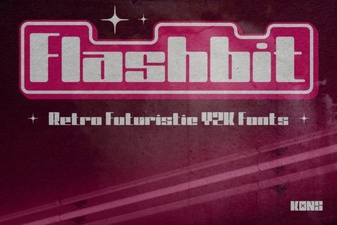 Flashbit Font – Playful Pixel Type for Creative Projects
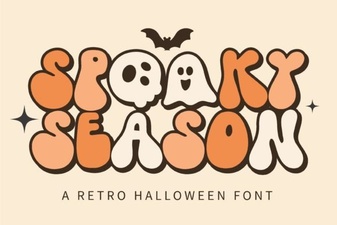 Spooky Season Font: Creative Ideas & Best Typography Picks
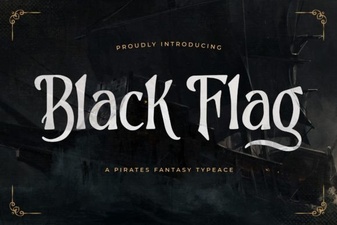 Black Flag Font: Bold Punk Typography for Design Projects
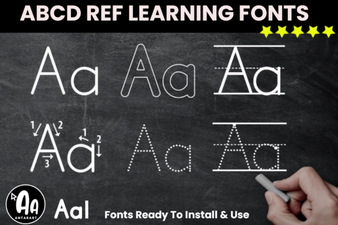 Abcd Tracing Font Bundle for Learning & Crafting
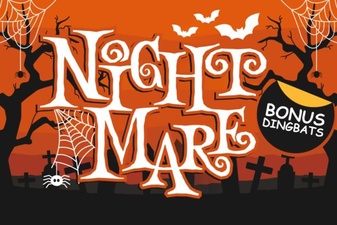 Night Mare Font: Creative Uses for This Spooky Typeface
 Western Bold Font in Modern Typography Design